The build
Here I explain my build.
Components
- Case: Silverstone Sst-Ds380b
- PSU: Corsair SF450 Platinum
- Mainboard: AsRock Phantom Gaming B850I Lightning WiFi
- CPU: AMD Ryzen 5 9600X
- RAM: Kingston FURY Beast 1x16GB
- SSD: Samsung 970 EVO Plus
- Main storage: Seagate IronWolf Pro 4x18TB
- VM storage: Samsung 960 SSD 4x1TB
Explenation
Case
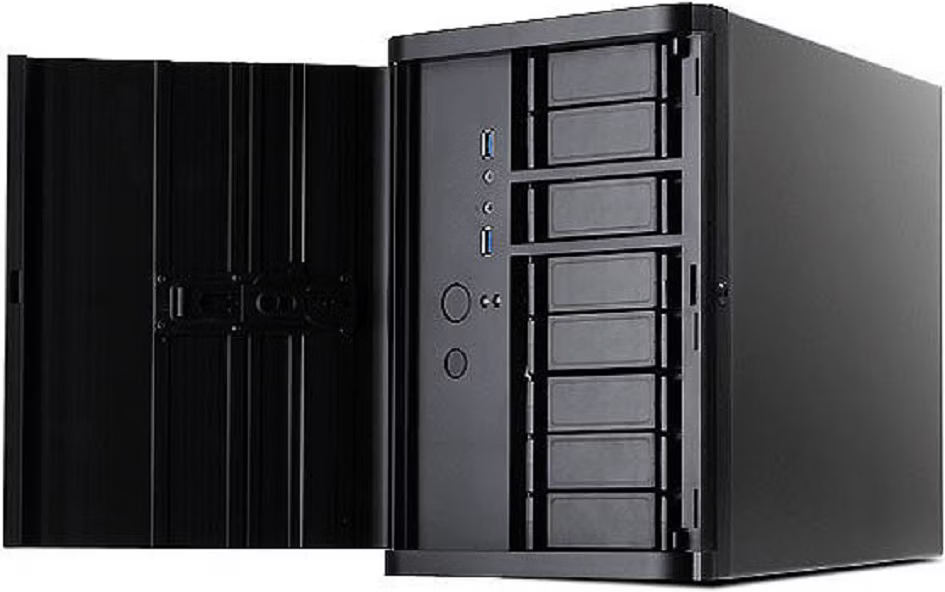
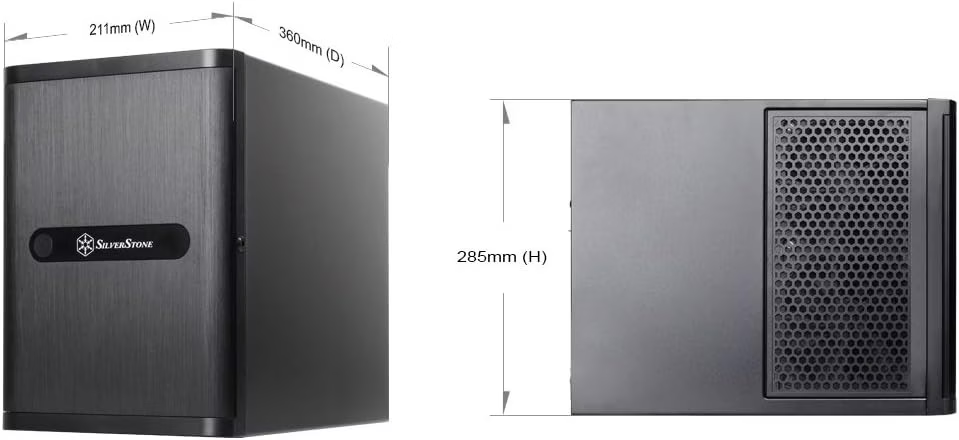
The Silverstone case is amazing. It is compact and provides 8 3.5″ slots and internally 4 2.5″ slots. The only bad thing is installing the SATA cables, but once done you don’t have to think about it anymore.
Mainboard, CPU & RAM
Here I chose for a random ITX mainboard with the chipset B850, the newest at the time I bought the components.
I wanted to run a VM and enough power to run serverside video decoding. So I decided to buy a Ryzen 5 9600X and 16 GB RAM.
Storage
The operating system will be installed on a small M.2 SSD
The main HDD storage is for multimedia files like movies, and music.
The VM storage is meant for storing VMs, obviously. I got the SSDs for free.
The storage controller I got for free too.
OS
I won’t make a step by step manual, because there are already many of them in the internet. There are diffrent operating systems to choose from.
- TrueNAS
- Unraid
- OpenMediaVault
They are diffrent, look diffrent, but provide similar services. I tried Openmediavault and stayed with it, because I am happy with it. Other people tell that the other two options are good too. I just can’t tell anything about them.
The first version I installed was version 6, later I upraded to 7 and 8 with almost zero problems.
Services
The NAS OS provides me SMB shares. The main purpose of a NAS. Additionally there are plugins for KVM and docker, which I will use later.
The VM is running Ubuntu and let’s me use it as a server, while I can leave the Openmediavault vanilla.